GuidesE-commerce
Managing multiple Shopify stores: when to do it, and how not to get lost
One or several
One store, several markets
Several stores
What multiplies
| Task | One store | Five stores |
|---|---|---|
| Change a price | Once | Five times |
| Update stock | Once | Five times, or a sync |
| Translate a product page | In Markets | In every store |
| Read the month’s sales | One report | Five reports to add up |
Centralize
- 1One referenceA master catalog or an ERP as the source of truth.
- 2SyncA dedicated app or a script on the Admin API.
- 3One viewReports and alerts across all stores.
An example
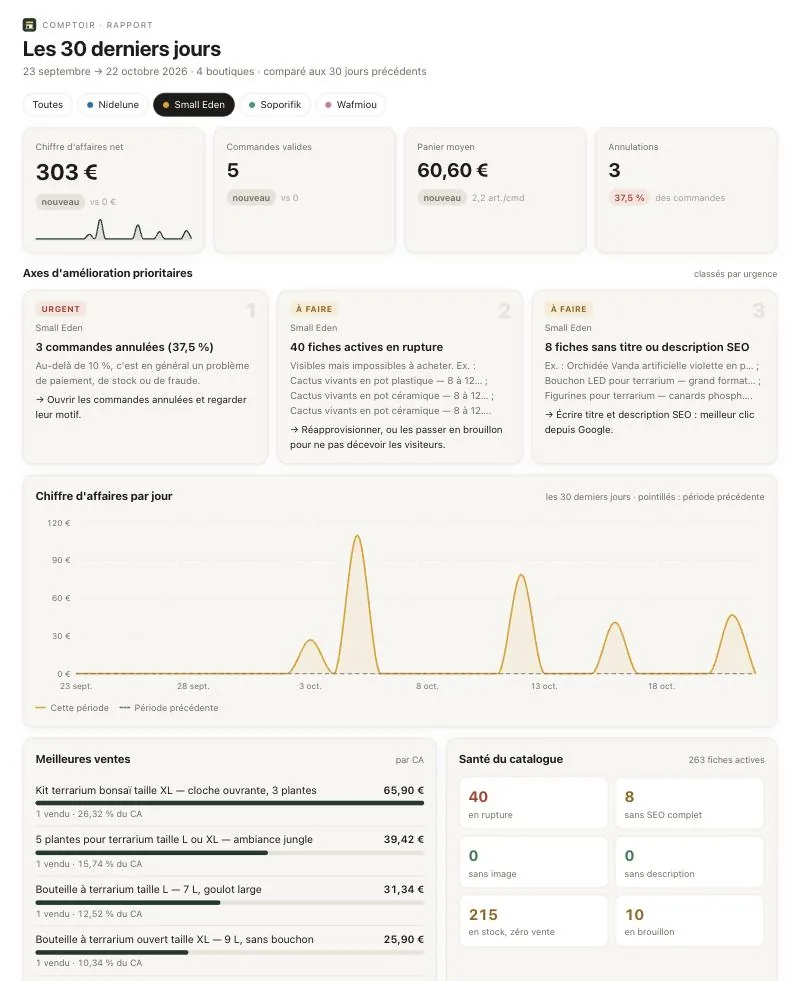
Comptoir, one of our projects, runs every Shopify store from a conversation with Claude: prices, stock, product pages and translations changed across all stores in one request, plus an illustrated monthly report.
The API: the Shopify Admin GraphQL API. Languages: translate a Shopify catalog. The principle: the MCP server.
Frequently asked questions
- Does Shopify Markets replace multiple stores?
- Often: a single store can sell in several countries, currencies and languages. Separate stores make sense for truly different catalogs, brands or logistics.
- How do I keep stock in sync?
- With a sync app, or through the Admin API with a reference catalog. A single system must be the source of truth, or you will sell out-of-stock products.
- What about reports?
- Each store has its own. A consolidated report is built by reading orders from every store through the API.